

5 WordPress Admin Customization Plugins I Actually Install on Client Sites (2026)

The default wp-admin is fine if you’re the only person using it. The minute a client logs in, the cracks show. They count 40+ menu items they’ll never click. They ignore the post list because the columns don’t tell them anything useful. They get phishing-style anxiety the first time they hit /wp-login.php and see a giant WordPress logo on a site that’s supposed to be theirs.
A WordPress admin customization plugin fixes those gaps without you writing a single add_filter() in functions.php. The five below cover the parts of the admin that most need work: branding, the menu, the login page, user roles, and the post list columns.
Quick Comparison
| Plugin | Best For | Free Version | Standout Feature |
|---|---|---|---|
| WP Adminify | All-in-one admin overhaul | WordPress.org | 60+ features in one plugin |
| Admin Bar Editor | Top toolbar control | WordPress.org | Drag and drop toolbar items |
| Loginfy | Branded login page | WordPress.org | 16+ login templates with live preview |
| RoleMaster Suite | User roles and capabilities | WordPress.org | Clone any role in one click |
| Admin Columns Editor | Custom post-list columns | Inside WP Adminify addon library | ACF, Pods, MetaBox, WooCommerce columns |
1. WP Adminify: the all-in-one option

WP Adminify is the plugin I install first on every new client site. It bundles 60+ admin features under one settings menu, so instead of stacking a white-label plugin, a menu editor, a login customizer, a media folders plugin, and a dashboard widgets manager, you turn on what you need from a single panel.
Features I Actually Use
- White-label branding
- Admin menu editor
- Dashboard UI templates
- Media folders
- Productivity tools
- Security hardening
Free version: wordpress.org/plugins/adminify
Product page: WP Adminify
2. Admin Bar Editor: control the toolbar

Admin Bar Editor turns the WordPress toolbar into something actually useful. You can reorder items, rename them, hide them per role, swap icons, add custom links, and clean up the overflow that crops up on mobile.
Features That Matter
- Drag-and-drop toolbar items
- Role-based visibility
- Custom menu items
- Frontend admin bar control
- Replace “Howdy”
- Icon customization
Free version: wordpress.org/plugins/admin-bar
Product page: WordPress Admin Bar Editor
3. Loginfy: a real login page
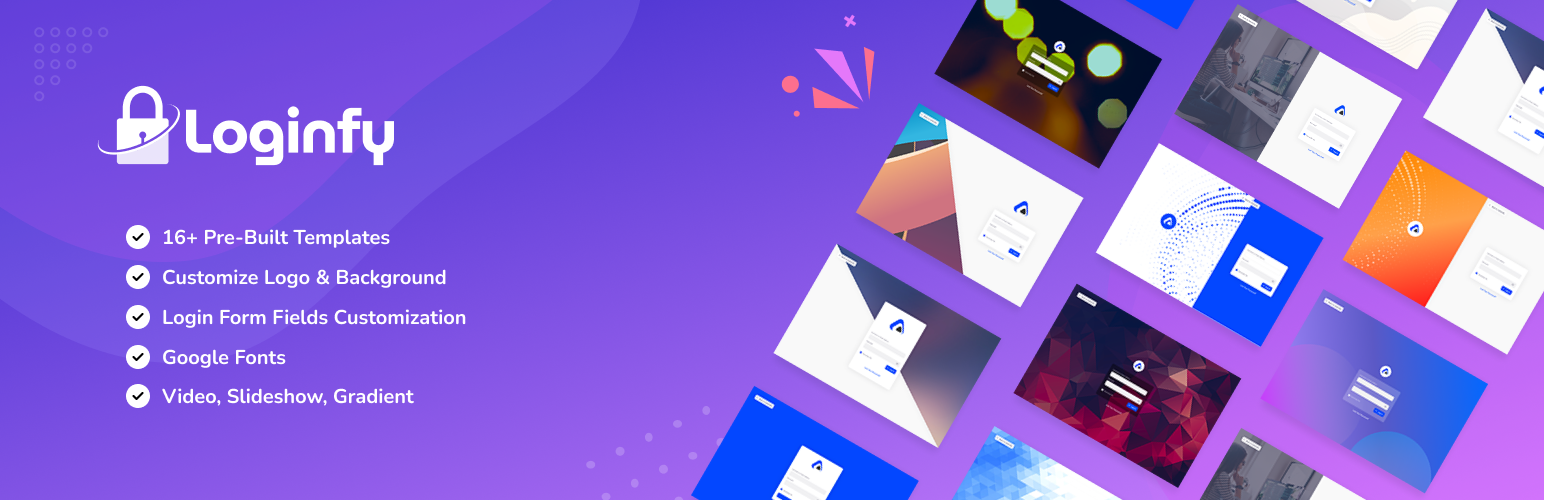
The default login page is the worst branding break a client will see on their own site. Loginfy fixes it without making you learn a page builder.
Features That Matter
- 16+ pre-built templates
- Live preview editor
- Background options
- Form and button styling
- Custom CSS field
- White-label login
Free version: wordpress.org/plugins/loginfy
Product page: WordPress Login Page Plugin
4. RoleMaster Suite: real role and capability editing
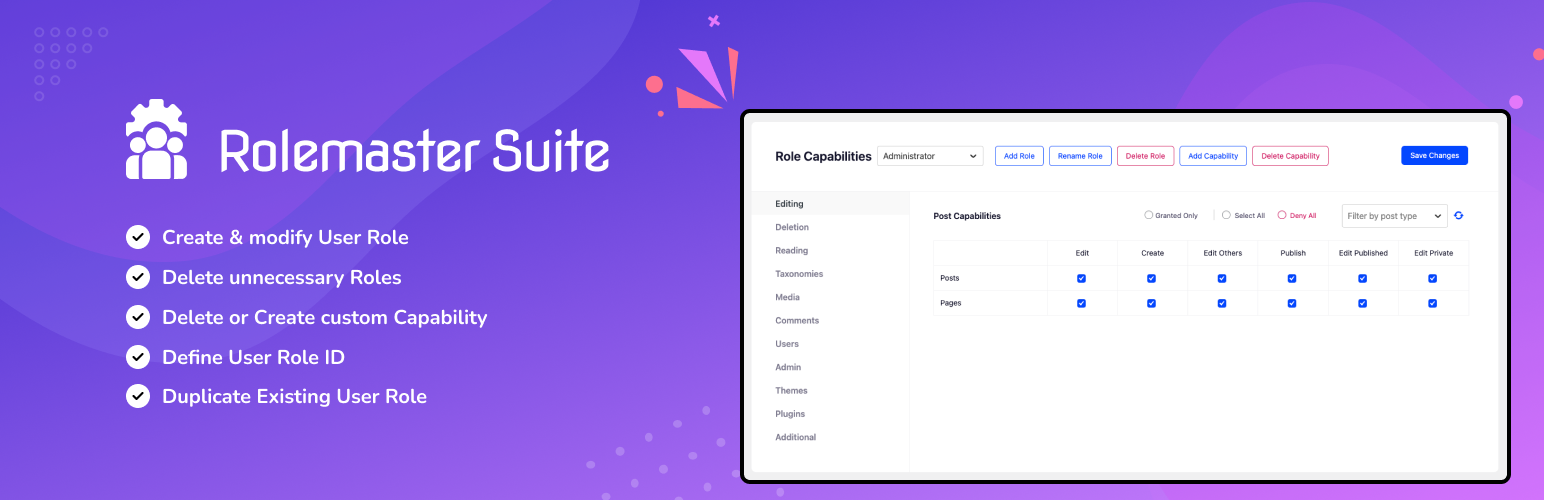
RoleMaster Suite turns role management into a visual job. Build new roles from scratch, clone an existing role and tweak it, modify capabilities on built-in roles, and assign more than one role to a single user.
Features That Matter
- Custom roles
- Clone existing roles
- Modify default roles
- Multiple roles per user
- Capability search
- WooCommerce and membership plugin support
Free version: wordpress.org/plugins/rolemaster-suite
Product page: WordPress User Role Editor
5. Admin Columns Editor: post list columns that don’t suck
The post list at /wp-admin/edit.php is the screen content editors stare at all day. Admin Columns Editor lets you add, remove, reorder, and customize columns on any post list, page list, custom post type, user list, or taxonomy screen.
Features That Matter
- Add custom columns
- Drag-and-drop reorder
- ACF / MetaBox / Pods integration
- WooCommerce support
- Sortable and filterable columns
- Per-post-type configuration
Free version: Available inside the WP Adminify addon library
Product page: Admin Columns Editor
How to Pick
| If you need to… | Install |
|---|---|
| White-label the entire admin for client sites | WP Adminify |
| Replace 5–8 single-purpose plugins | WP Adminify |
| Just clean up the top toolbar | Admin Bar Editor |
| Build a branded login page only | Loginfy |
| Build custom user roles for a membership/LMS site | RoleMaster Suite |
| Add custom columns to product/post/CPT lists | Admin Columns Editor |
FAQ
What is a WordPress admin customization plugin?
A plugin that changes how the WordPress backend looks, behaves, or is branded, without making you write code.
Do I need a plugin, or can I just use code?
Both work. Custom code in functions.php gives you total control, but plugins are easier to manage and update.
Will these plugins slow down my site?
Most admin customization plugins only load assets inside wp-admin, so your frontend visitors won’t notice any performance impact.
Wrapping Up
WP Adminify, Admin Bar Editor, Loginfy, RoleMaster Suite, and Admin Columns Editor cover the five parts of WordPress admin that fall apart fastest once a real team or client gets involved: branding, navigation, login screen, user permissions, and post-list columns.

Related Posts

WooCommerce Delivery Date Plugins: A Complete Comparison Guide
WooCommerce Delivery Date Plugins: A Complete Comparison Guide
Best WooGallery Alternative in 2026: WooGallery vs WPBean AI Product Gallery Slider for WooCommerce
Best WooGallery Alternative in 2026: WooGallery vs WPBean AI Product Gallery Slider for WooCommerce